
The invoice is written before the truck leaves.
Visits the crew records and estimates the customer approves become invoices without retyping. A texted link opens one invoice to pay by card or bank, saved cards pay with autopay, and invoices, payments and approved hours go to QuickBooks Online.
Free request. You review the scope and price before you commit, and sending it creates no account and takes no payment.
At a glance
- From the work
- Invoices from recorded visits and approved estimates
- Pay links
- One invoice, card or bank, no sign-in
- Cards on file
- Autopay, and a pay-link text when a card declines
- Accounting
- Invoices, payments and approved hours to QuickBooks Online
One of eleven solutions: Invoices, deposits and online payments
What switching it on adds.
A package is priced by the solutions it names. Switch this one on and you get the list below. Leave it off and the rest of your package keeps working.
- Invoices from the visits crews record and the estimates customers approve
- Pay links by text that open one invoice, with no sign-in
- Cards and bank accounts on file, autopay, and a pay-link text when a card declines
- A deposit taken as the estimate is approved
- Invoices, payments and approved hours sent to QuickBooks Online
Without it
Billing stays in the system you use today. Invoices, pay links, cards on file, deposits and QuickBooks posting are off.
Billed from the work
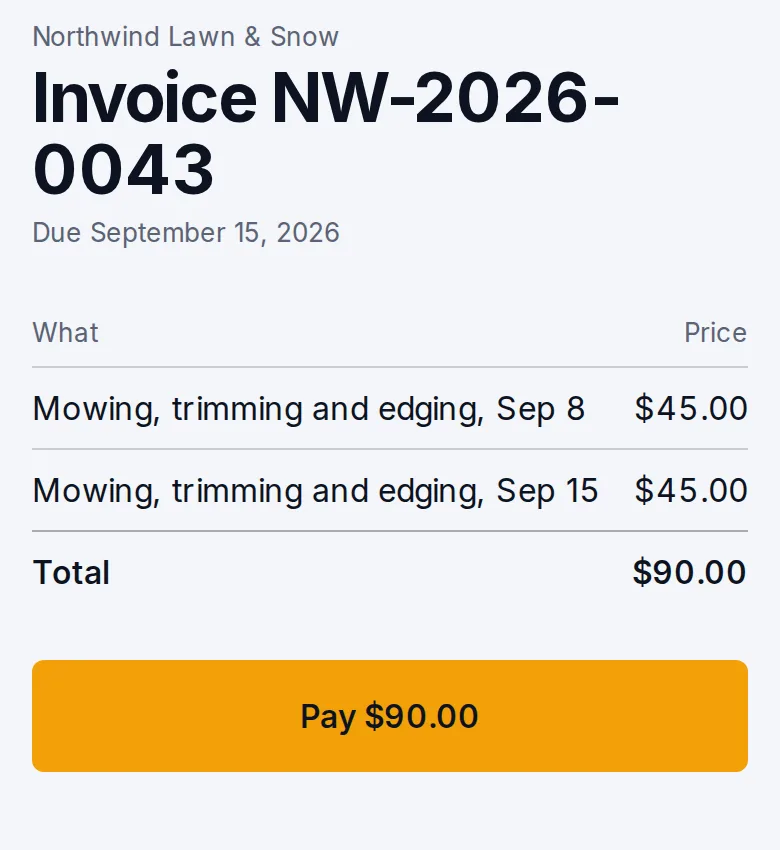
An invoice for approved work, and a link to pay it.
Approved work can be invoiced. Deposits and remaining balances are separate amounts on that job, and payments and credits are recorded against them.
A texted pay link opens one invoice’s balance for card or bank payment, with no sign-in. A commercial grounds account can bill on its cadence while the visits stay on the delivery schedule, so an invoice is not confused with a visit that has not happened.
A lighting job
From deposit to the work still owed.
Accepted scope is not money received, and a deposit is not a finished install.
- Accepted scopeThe customer has approved the quote. That is not yet money received.
- DepositThe deposit you require is taken as the customer approves the estimate.
- InstallCompletion of the install is its own fact. The deposit does not stand in for it.
- BalanceThe remaining invoice covers the finished install.
- Later obligationTakedown or storage stays as work still to do, not as cash already earned.
Cards on file
Billing without the chasing.
Customers save a card or bank account once. With autopay on, each invoice is charged the moment it is sent.
- Ask onceA texted link, or the customer’s account, saves a card or bank account.
- Invoice sentWith autopay on, the invoice is charged when it goes out.
- Card declinesThe customer gets a pay-link text for that one invoice, instead of a call from you.
- OverdueOverdue reminders carry the same link, on the days you choose.
- Into the booksInvoices, payments and approved crew hours go to QuickBooks Online.
Where it stops
What billing does, and what stays in your books.
Nothing here promises a fee-free payment, the lowest processing rate or a revenue total.
What it does
- Writes invoices from recorded visits and approved estimates
- Takes deposits as estimates are approved
- Opens one invoice for payment by card or bank, with no sign-in
- Charges saved cards with autopay and texts a link when one declines
- Sends invoices, payments and approved hours to QuickBooks Online
What stays with your team
- Processing fees. They are separate from the package fee
- Payroll and the full ledger. They stay in your accounting process
- Saved cards from another system. They cannot be moved
- A guarantee of the lowest rate or a revenue total
Before you buy
What has to be agreed first
This page describes the capability. It does not put every module, unlimited texting, ad management or a custom software project into an unnamed price. Your package names what is included, what we set up with you, and which provider or usage charges sit outside it.
Read how package scope is quotedSee what concierge setup includes
Your package names
- What is included
- The modules and support your package lists
- What we set up with you
- Agreed with you before you buy
- What sits outside
- Provider and usage charges, such as payment processing, texting and email
Questions
Questions owners ask
Short answers to what owners ask before they send a request. Anything missing goes in your request, and we reply by email.
How do deposits work?
When the job calls for one, the deposit is taken as the customer approves the estimate. The remaining balance is a later invoice on the same job. Taking the deposit does not mark unfinished work as done.
How do cards on file work?
Customers save a card or bank account once, from a texted link or their account. With autopay on, each invoice is charged when it is sent, and a declined card gets a pay-link text instead of a phone call from you.
What has to be true before a customer can pay online?
Your own Stripe account has to be connected. Processing fees are Stripe’s, charged on your account, and they are separate from the package fee.
Do imported balances come with saved cards?
Balances can be imported when the export has them. Saved cards from another system cannot be moved, so those customers add a card again or pay by link.
What if we stop using LawnSystems for billing?
Without this solution, invoices, pay links, cards on file, deposits, autopay and QuickBooks posting are all off, and your office bills from the system you use. Estimates and customer records keep working.
Does QuickBooks replace our accountant?
No. Invoices, payments and approved hours go to QuickBooks Online. Payroll, the full ledger and your profit-and-loss stay in your accounting process.
See what your package would include.
Tell us your company, services and crews. We reply by email with scope and price.
Build my packageFree request. Nothing is charged until you agree to scope and price.