
Customers see what is next without calling you.
Your customers sign in to an account with your name on it. They see the last visit and the next one, the photos in between, the estimates waiting on them and their messages with you. They skip within your rules, answer upsells your office approved, and send their friends your way.
Free request. You review the scope and price before you commit, and sending it creates no account and takes no payment.
At a glance
- In the account
- Visits, photos and time on site, estimates and messages
- A change
- Only the skip or move your policy allows
- From the yard
- A crew flag reaches the customer once your office approves it
- Referrals
- A link to share, and each referred request marked with who sent it
One of eleven solutions: Branded customer portal
What switching it on adds.
A package is priced by the solutions it names. Switch this one on and you get the list below. Leave it off and the rest of your package keeps working.
- Customers sign in to see the last visit and the next one, with photos and time on site
- Skips within the rules you set
- Upsells from the yard: a crew flag reaches the customer once your office approves it
- Messages with your office in one place
- A referral link, and each referred request marked with who sent it
Without it
Customers get visit, estimate, agreement and pay links by text and email that open without signing in. There is no customer account.
Your name on their phone
The last visit. The next visit. The photos between.
The account shows the next and last visits, who is coming, service history and photos, the estimates waiting on them and their messages with your office.
After every visit, the photos and the time on site arrive from the crew’s phone with nothing for the office to send. Invoices and saved cards appear in the same account when the package includes online payments.
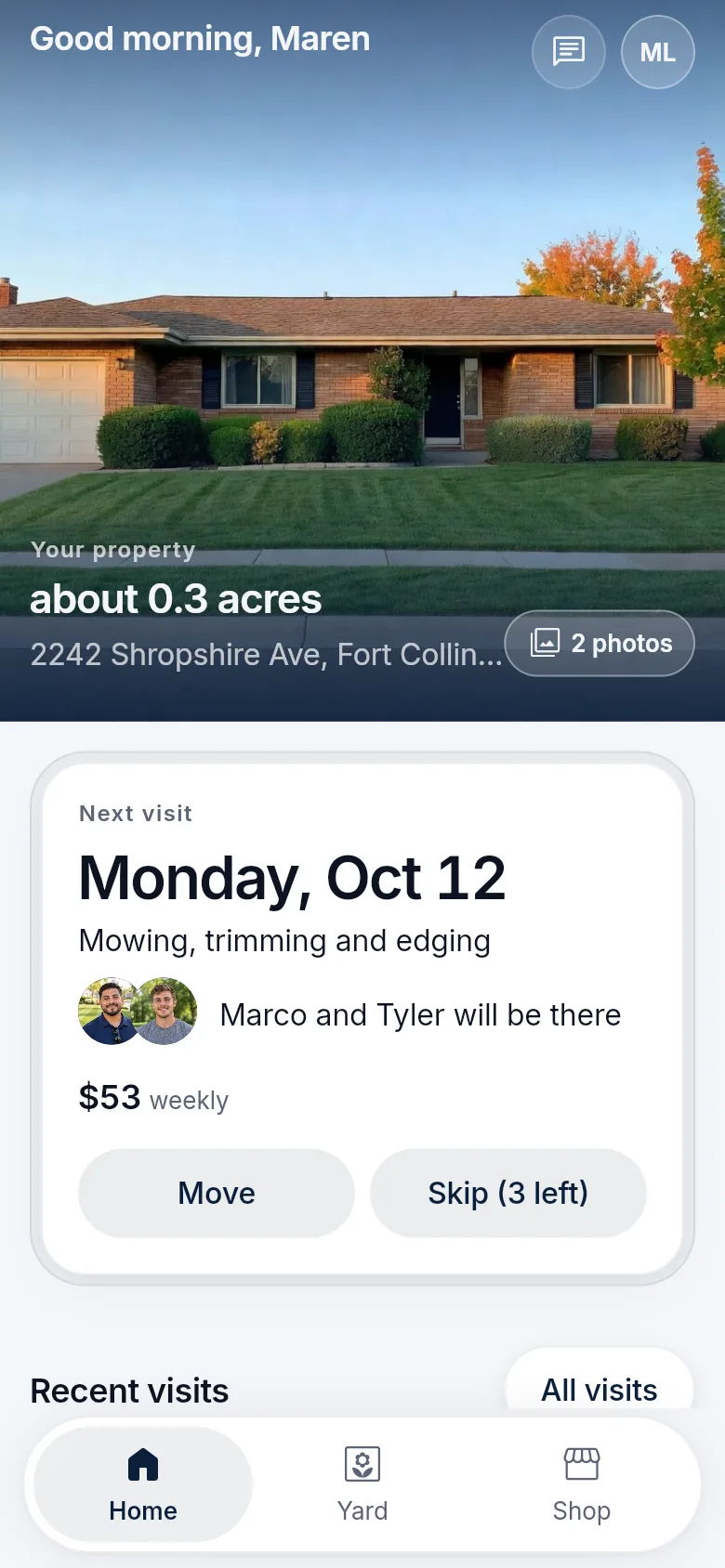
A change the policy already allows
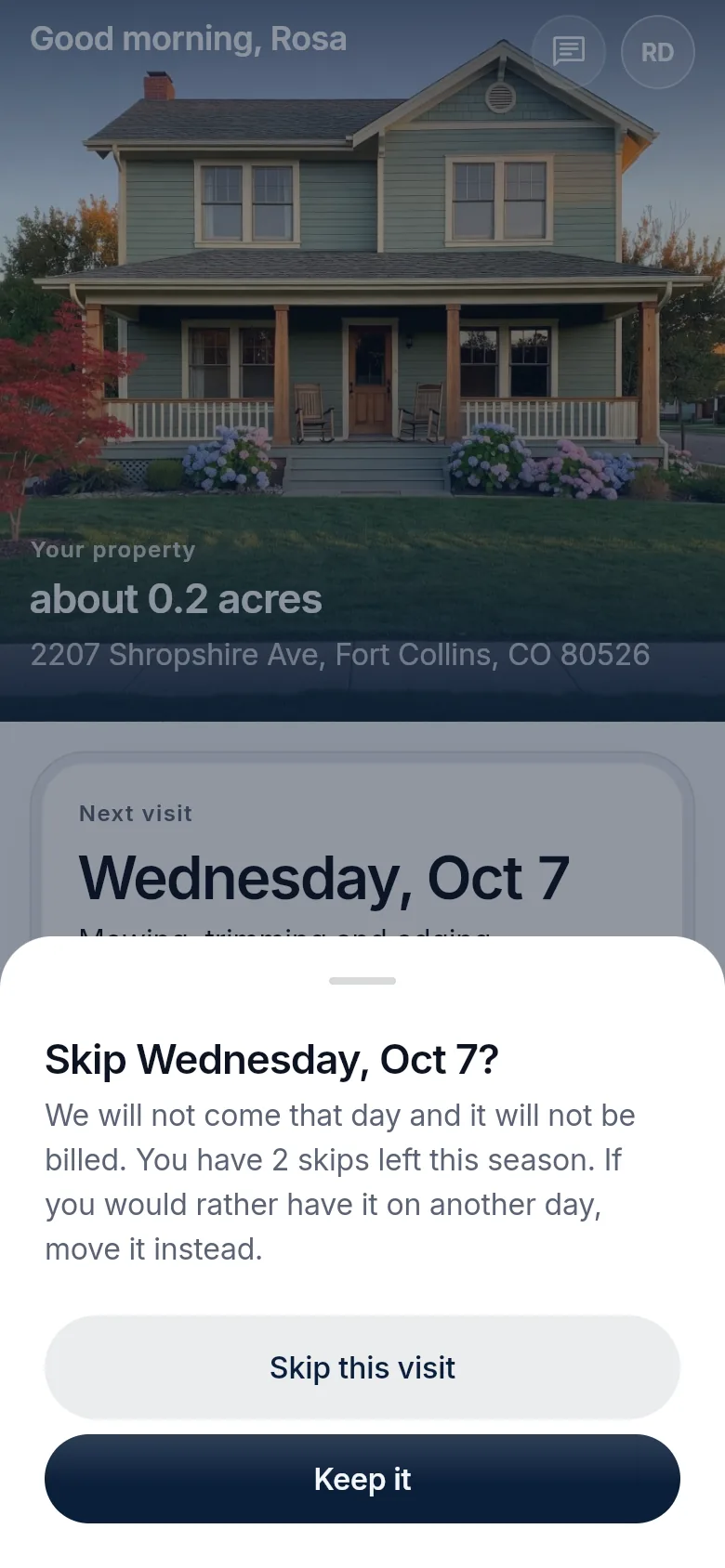
Skip a week in two taps. Inside your rules.
An eligible skip or reschedule shows its result before the customer commits. The change is theirs, inside the policy you set, and the schedule and the reminder update together. A skipped visit is not billed.
Anything outside the policy remains an office action. The account does not negotiate an exception.
Upsells from the yard
The crew spots it. Your office approves it. The customer decides.
Add-on work reaches the customer at your price-book rate, only after a person in your office has looked at it.
- FlaggedA crew member flags what the property needs, with a note.
- ApprovedYour office reviews the flag before anything is offered.
- OfferedThe customer sees the offer in their account, at your rate.
- AnsweredA yes reaches your office to schedule. A no is not offered again until your rules allow it.
Where it stops
What the account does, and what stays with the office.
Questions like when you are coming, whether the crew was there and what an estimate says can be answered from the account.
What it does
- Shows when you are coming and what happened last time
- Shows photos and time after each visit
- Previews a skip or move before the customer commits
- Offers add-on work your office approved
- Gives each customer a referral link, and names the referrer on the request
What stays with your team
- Exceptions outside your policy
- The calls that need a person
- A counted savings figure. Fewer routine calls is the aim, not a promise
- Online payment without online payments in the package
Before you buy
What has to be agreed first
This page describes the capability. It does not put every module, unlimited texting, ad management or a custom software project into an unnamed price. Your package names what is included, what we set up with you, and which provider or usage charges sit outside it.
Read how package scope is quotedSee what concierge setup includes
Your package names
- What is included
- The modules and support your package lists
- What we set up with you
- Agreed with you before you buy
- What sits outside
- Provider and usage charges, such as payment processing, texting and email
Questions
Questions owners ask
Short answers to what owners ask before they send a request. Anything missing goes in your request, and we reply by email.
Is it an app or a website?
Both. With Company-branded mobile apps, customers install your app from the App Store and Google Play. Without them, they open the same account in their phone’s browser at your LawnSystems address.
What if a customer never signs in?
The visit, estimate, agreement and pay links you text or email open without a sign-in. The account adds visit history, photos, messages, skips, upsells and referrals.
What happens without the customer portal?
There is no customer account to sign in to. Customers get your texts and emails, and every link in them opens without signing in.
Can they move a visit?
They can preview a skip or reschedule when your policy marks it eligible, then confirm. The schedule and the reminder update together. A change that needs the office stays with the office.
How do upsells reach the customer?
A crew member flags something at the property, such as aeration the lawn needs. Your office reviews it, and once approved it reaches the customer as an offer at your price-book rate.
How do referrals work?
Each customer has a referral link to share. A request that arrives through it reaches your office marked with who referred it, and referral credits follow the rules you set.
See what your package would include.
Tell us your company, services and crews. We reply by email with scope and price.
Build my packageFree request. Nothing is charged until you agree to scope and price.