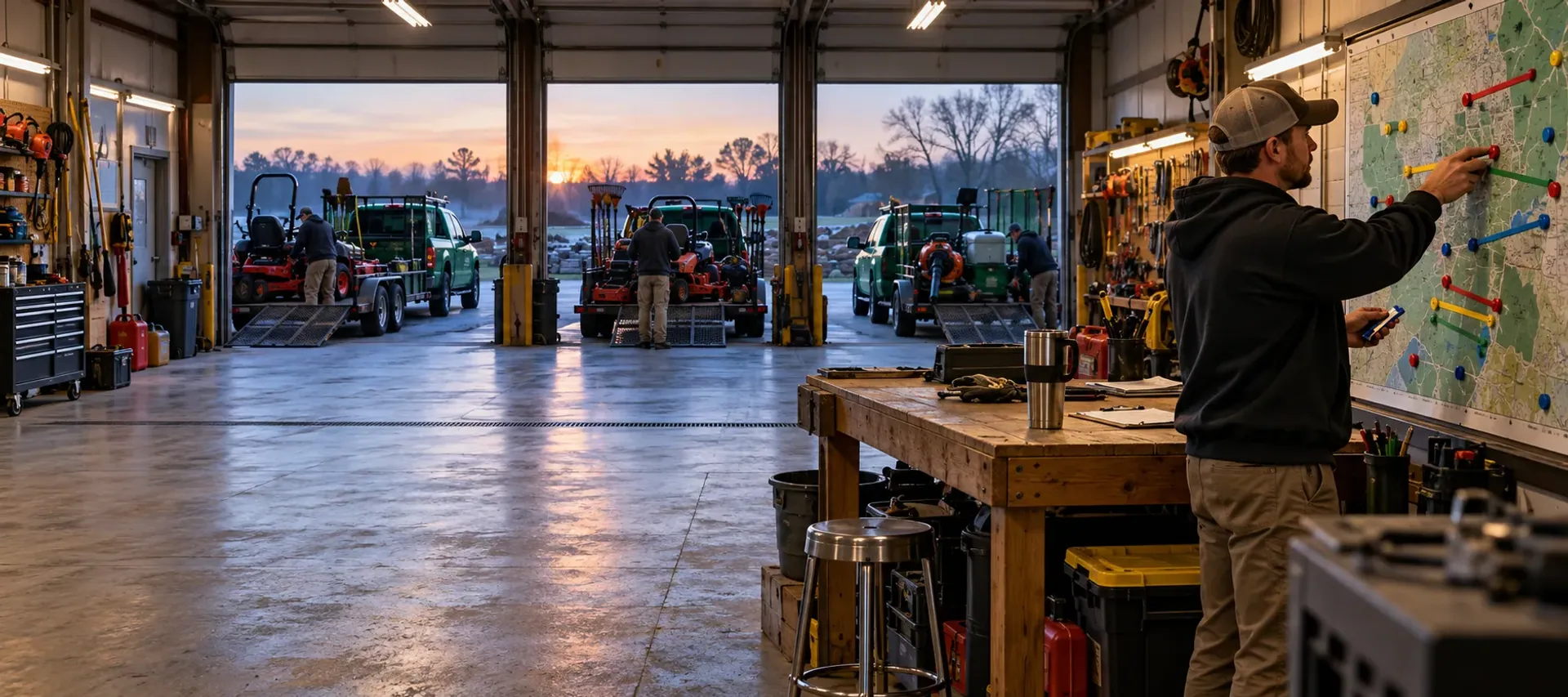
Rain on Wednesday is a decision, not a scramble.
Recurring visits and one-time jobs share one schedule across one crew or many. Routes follow real roads, each crew opens its own day with the gate code and the hazard beside each stop, and when weather changes the day you see the cost before you confirm.
Free request. You review the scope and price before you commit, and sending it creates no account and takes no payment.
At a glance
- On the schedule
- One-time visits and recurring series, for one crew or many
- Routes
- Planned on real roads, around the stops you pin
- At the stop
- Gate code, hazards, call and text, time and required photos
- A rain day
- Keep, push, absorb or skip, then you confirm
One of eleven solutions: Scheduling, routes and crew apps
What switching it on adds.
A package is priced by the solutions it names. Switch this one on and you get the list below. Leave it off and the rest of your package keeps working.
- Recurring visits, one-time jobs and capacity across one crew or many
- Routes planned on real roads, around the stops you pin
- Each crew’s app with its stops: gate codes, hazards, call and text, required photos
- Rain days: see the plan and its cost, confirm, and the customers are texted the new day
- A waiting list for full days, and hiring for the crews you add
Without it
Your office keeps customers, estimates and history. Booking, routes, the dispatch board and the crew app are not included.
One schedule
Visits, series and the room on the route.
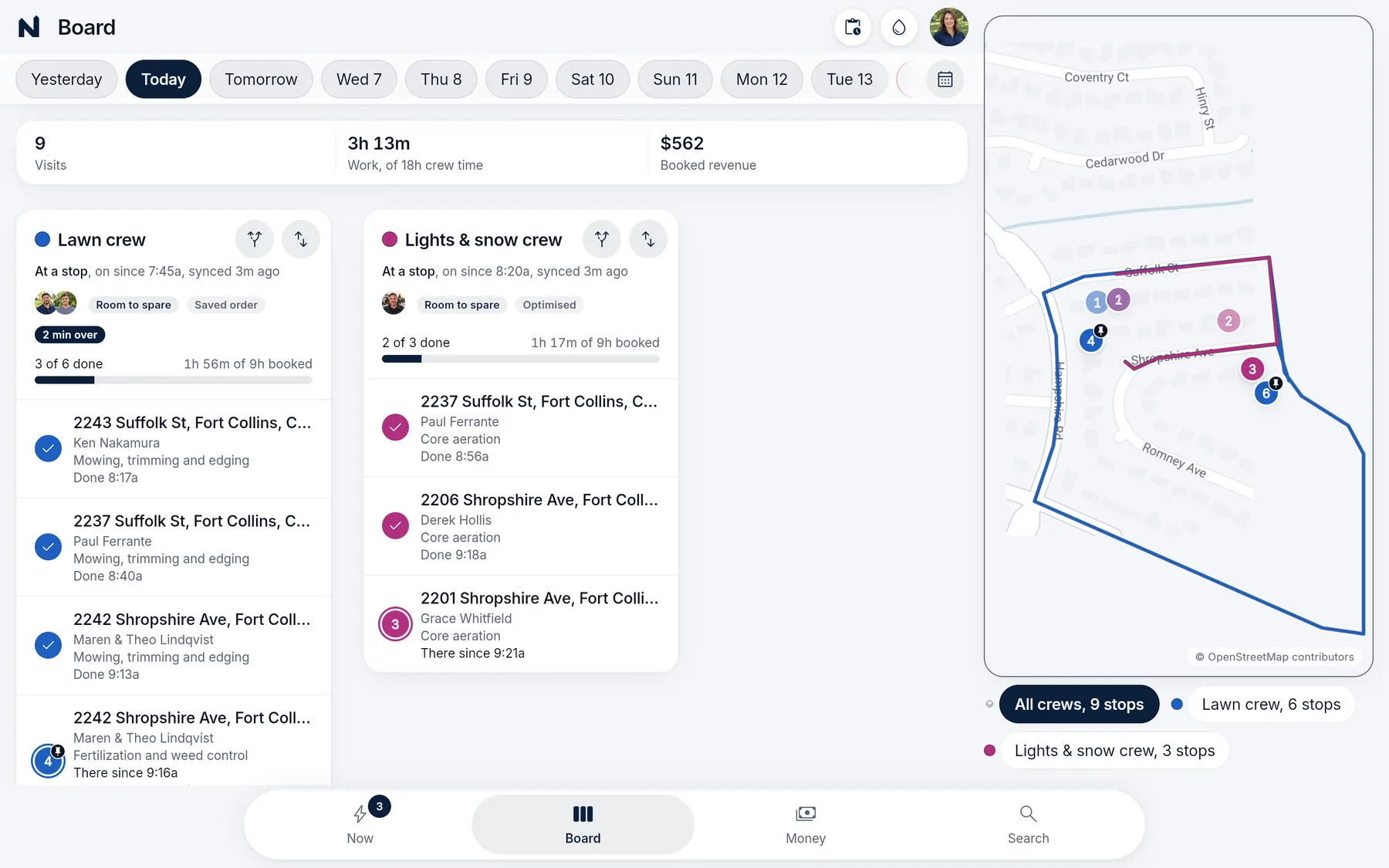
Schedule a one-time visit or a recurring series with a season start and end. Skips, pauses and cancellations apply to the visit without erasing the series, and work that does not fit waits on a list you can see.
Each crew has its own capacity, and route planning orders the stops you have not pinned. Drive times come from real roads, not straight lines between pins. You see the capacity before you promise a date, and the route that leaves is the one the crew opens.
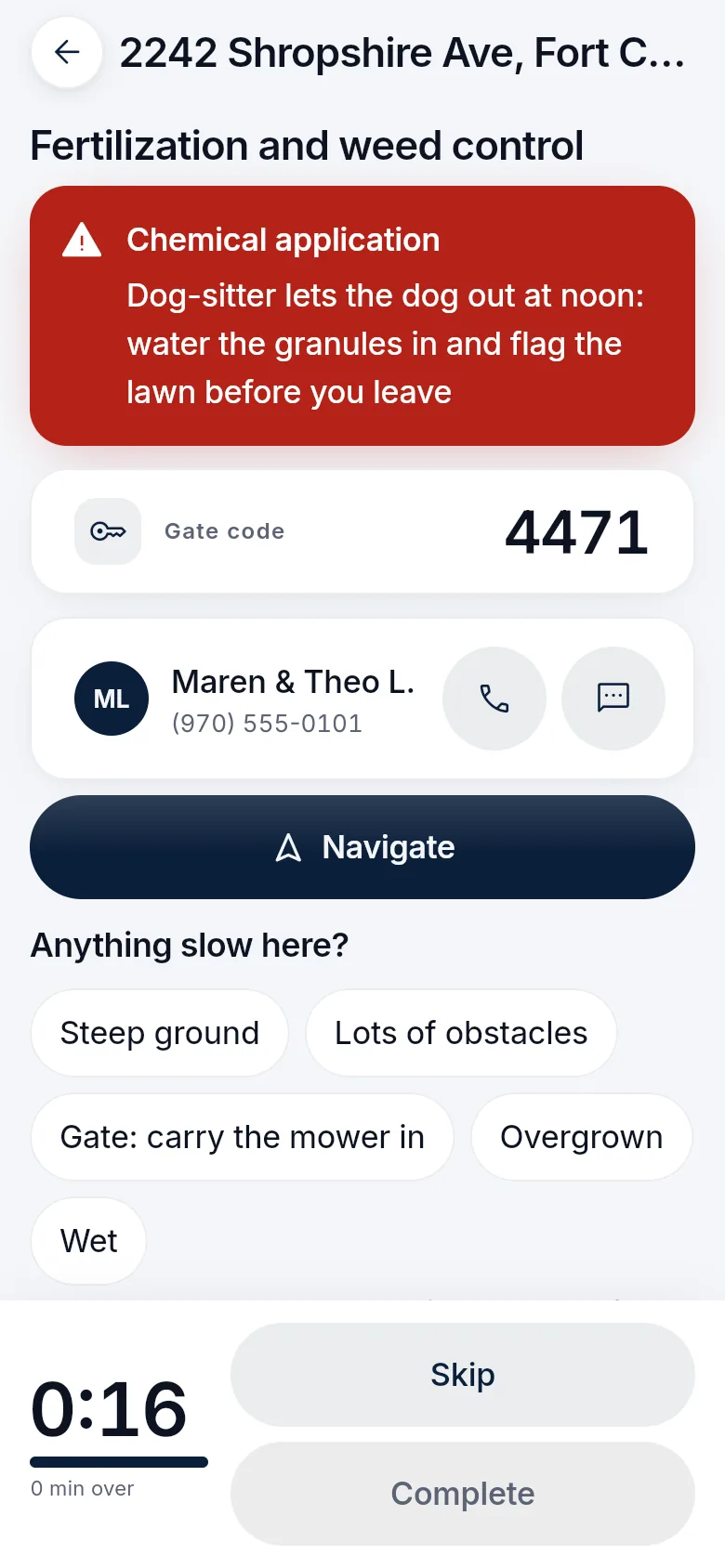
The stop, in the crew’s hand
The gate code is with the job. So is the clock.
Each crew opens its own day: the route, and for each stop the access and hazard notes, the job instructions, call and text buttons, the clock and the photos the job requires. A crew member sees the stops they are assigned, not the company’s books.
The office sees completion, issues and time on the visit, instead of waiting on a text.
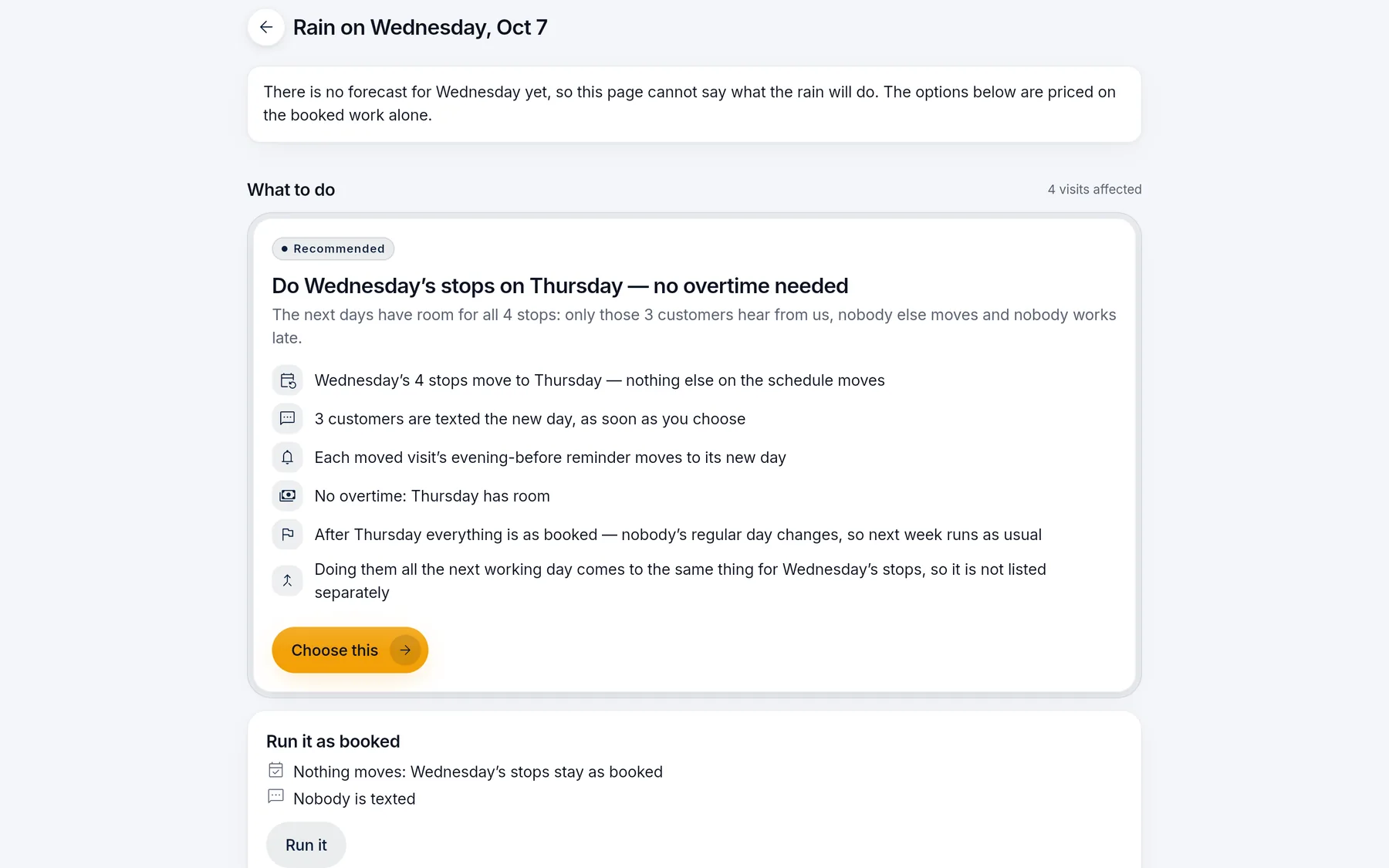
A rain day
See the plan, the cost and the notices. Then confirm.
Keep, push, absorb or skip, with the visits and days that would change, the customer notices and any overtime laid out in one review. When there is no forecast yet, the page says so and prices the options on the booked work alone.
Completed visits are not rewritten. The decision is about the work that has not happened.
- Review the choicesKeep, push, absorb or skip, with the visits and days that would change.
- See the costCustomer notices, overtime and the work left unplaced are in the same review.
- ConfirmYou apply the plan. It does not apply itself.
- Update the dayThe schedule and the reminders change together, and customers are texted the new day.
When applicator records are on
The record is filed from the yard.
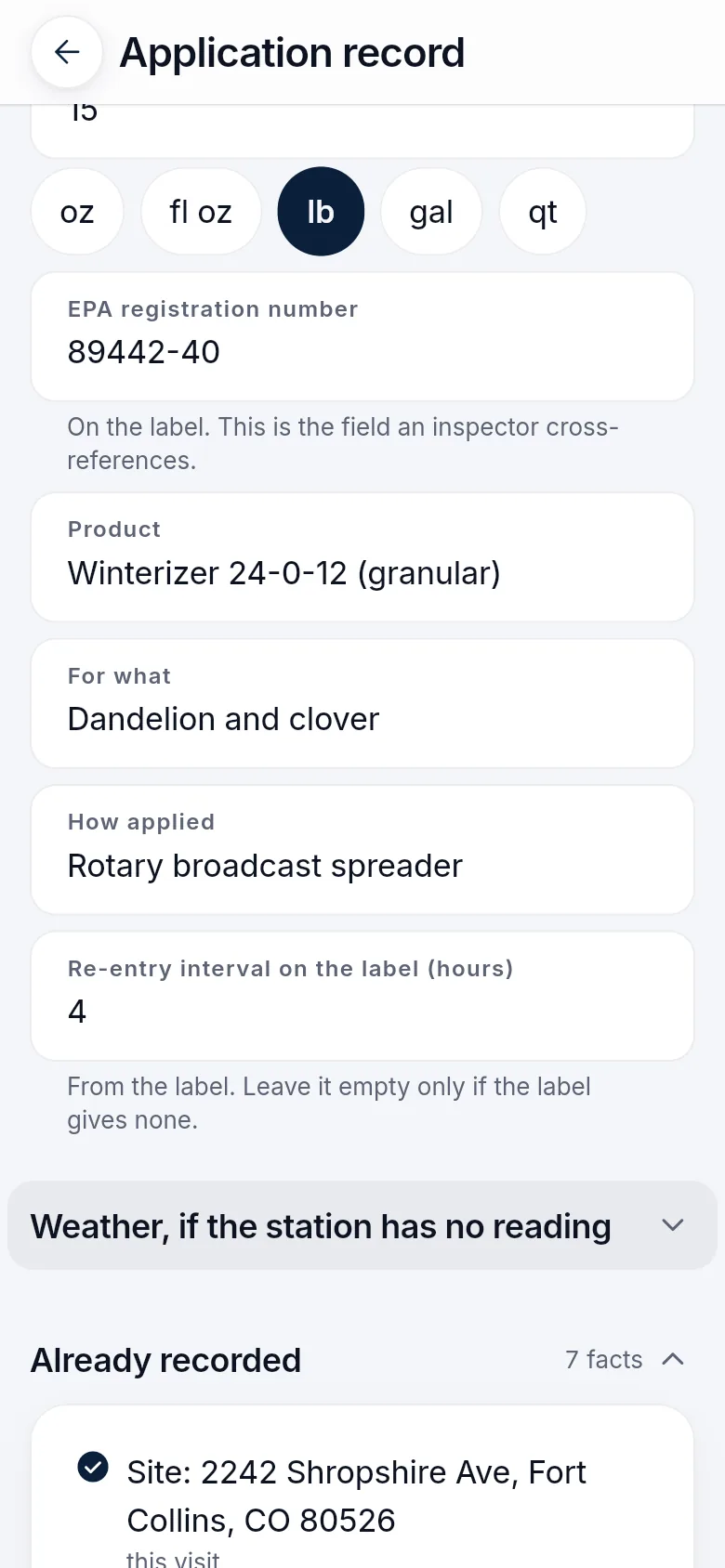
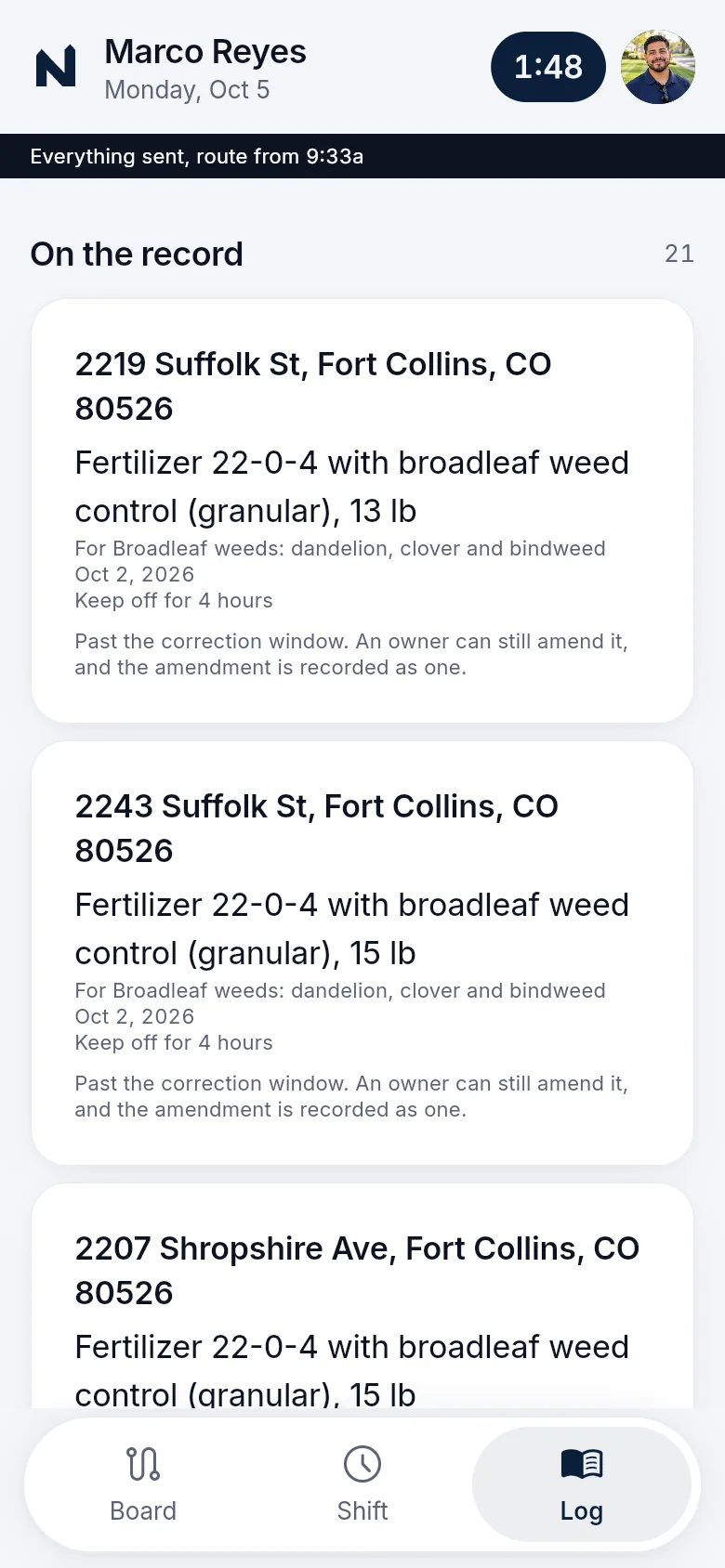
Licensed chemical applications can be logged with the visit from the bag’s label. The site, time, applicator and customer are already on the record, and the weather comes from the nearest station.
That documentation is the record you entered. It is not a legal or compliance guarantee.
Where it stops
What scheduling and the crew app do, and what stays with you.
A crew member sees the stops they are assigned, and the office confirms anything the customer is not allowed to change.
What it does
- Plans routes on real roads around the stops you pinned
- Shows a full day before you promise it, and keeps a waiting list
- Gives each crew its stops with notes, clock and required photos
- Prices a rain-day plan before you apply it
- Keeps hiring for the crews you add in the same office app
What stays with your team
- Confirming any weather change
- Snow dispatch from a forecast. There is none
- Working without signal in a browser. It needs the branded apps
- Exceptions the customer is not allowed to make
Before you buy
What has to be agreed first
This page describes the capability. It does not put every module, unlimited texting, ad management or a custom software project into an unnamed price. Your package names what is included, what we set up with you, and which provider or usage charges sit outside it.
Read how package scope is quotedSee what concierge setup includes
Your package names
- What is included
- The modules and support your package lists
- What we set up with you
- Agreed with you before you buy
- What sits outside
- Provider and usage charges, such as payment processing, texting and email
Questions
Questions owners ask
Short answers to what owners ask before they send a request. Anything missing goes in your request, and we reply by email.
How do repeating visits work?
A series has its own rhythm and a season boundary. One visit can be skipped, paused or cancelled without deleting the series.
Can a stop stay on a particular day?
Pinned work stays where you put it while the rest of the route is planned around capacity. Pinning does not silently move a customer who was promised a day.
What about more than one crew?
Assignment and route planning account for the crews you have. A day that is already full is visible before you promise it, and work that does not fit waits on a list you can see.
Who decides a weather change?
You do. The schedule shows the visits in play, the notices, the overtime cost and the work that would be left unplaced. Nothing is applied until you confirm.
Does the crew app work without signal?
In the company-branded crew app, yes: the day is saved on the phone and the work sends when it reconnects. Without branded apps, crews open the crew app in a phone browser, which needs a connection.
Does this dispatch snow from the forecast?
No. There is no weather-fed snow dispatch. Snow sites and their per-visit records are part of Seasonal programs.
See what your package would include.
Tell us your company, services and crews. We reply by email with scope and price.
Build my packageFree request. Nothing is charged until you agree to scope and price.